Seven checks
Real text, everything there, content under the right headings, characters, contact details, dates and standard headings.
For iPhone, iPad and Mac
Bring the CV you have, or start fresh. PearlCV lays it out beautifully, checks how hiring systems read it, and shows how well you fit each job.
Coming soon to the App Store
See the templates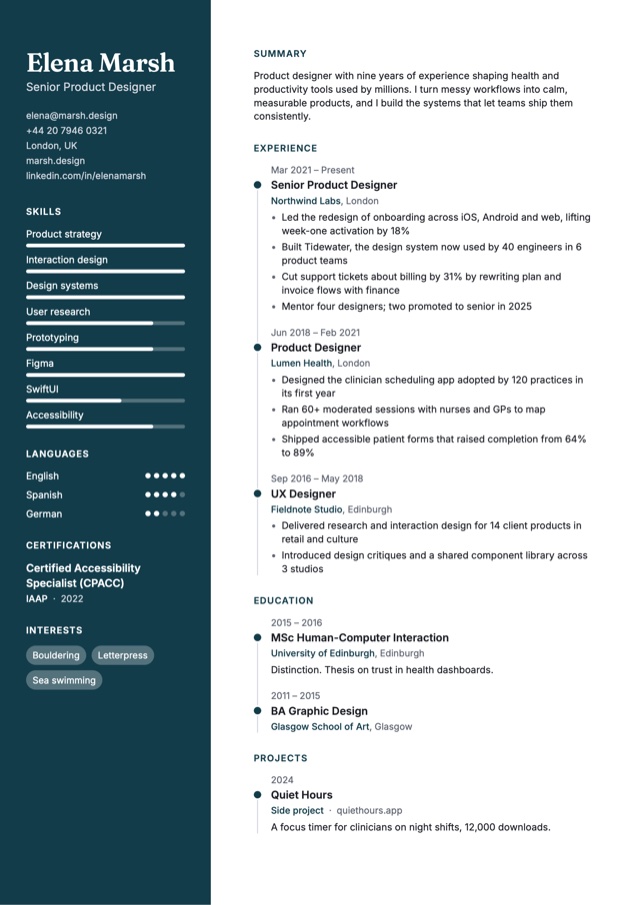
Before anyone reads it
It’s easy to decide the problem is you. Often the first reader isn’t a person at all: it’s software that pulls the text out of your PDF and files it. When it gets your CV wrong, nobody tells you.
Elena Marsh
Senior Product Designer · [email protected]
Experience
Northwind Labs, 2021 to now
Led the redesign of onboarding, lifting activation by 18%
Skills
Figma
Prototyping
EXPERIENCE SKILLS
Northwind Labs, 2021 Figma
to now Led the redesign of
Prototyping onboarding, lifting
activation by 18%
A two-column CV read from its layout, the way some parsers do. It happened to one of our own designs while we built PearlCV. We fixed the design, and built a check so it can’t happen to yours unnoticed.
Hiring systems
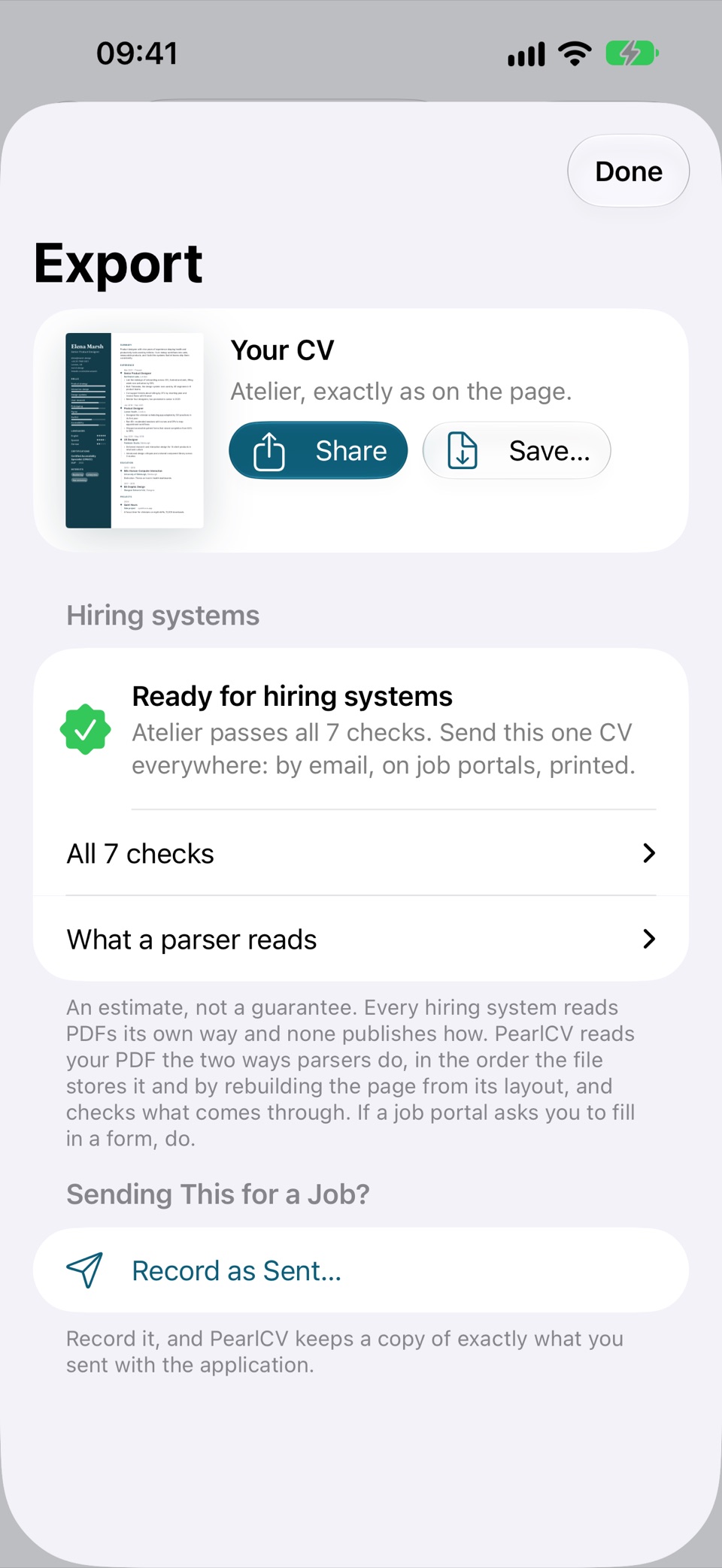
PearlCV reads your PDF the two ways parsers do and runs seven checks on what comes through. Every design passes as it ships, so you send one CV everywhere: to people and to job portals.
Real text, everything there, content under the right headings, characters, contact details, dates and standard headings.
See exactly what a parser pulls from your PDF, heading by heading.
Each template passes with a full CV before it ships, two-column designs included.
Put columns side by side and trip a check? PearlCV says what and takes you to the fix, or makes an ATS-safe copy in the same design.
Part of PearlCV Pro. On the free plan, Export shows that the checks have run on your CV, and says when something needs a fix. It’s an estimate, and it says so: no hiring system publishes how it reads.
Bring your CV, or start fresh
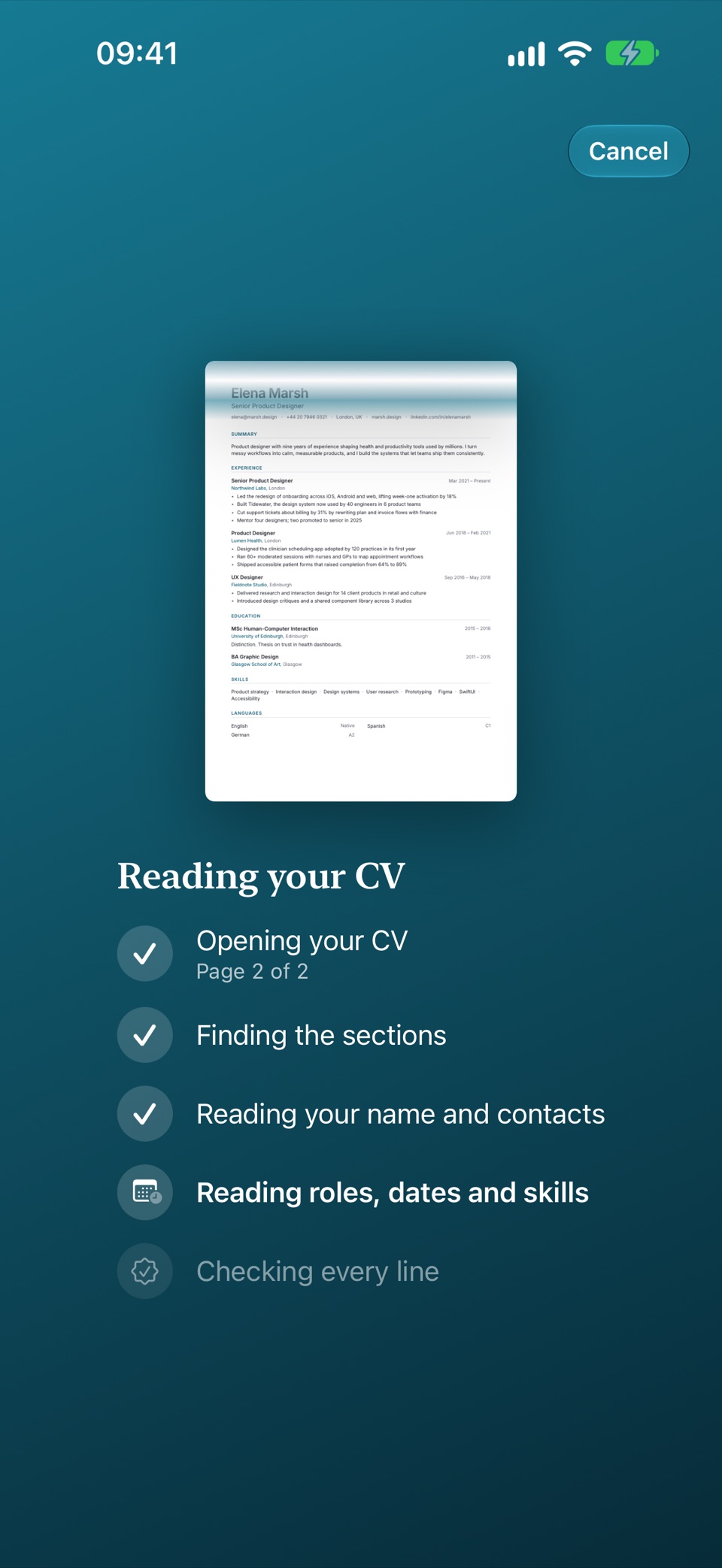
Already have a CV? Give it to PearlCV and watch it read: your details, every role with its dates and bullets, your studies, skills and languages, sorted into your profile. Then pick a design.
Read entirely on your device, in all eight languages PearlCV speaks. Nothing is uploaded, and nothing is rewritten: what comes in is what your CV said. Free on every plan.
PearlCV asks what a recruiter would, one question at a time, and your CV builds itself beside the questions. A finished CV in minutes, and everything you typed is kept if you stop.
On the page
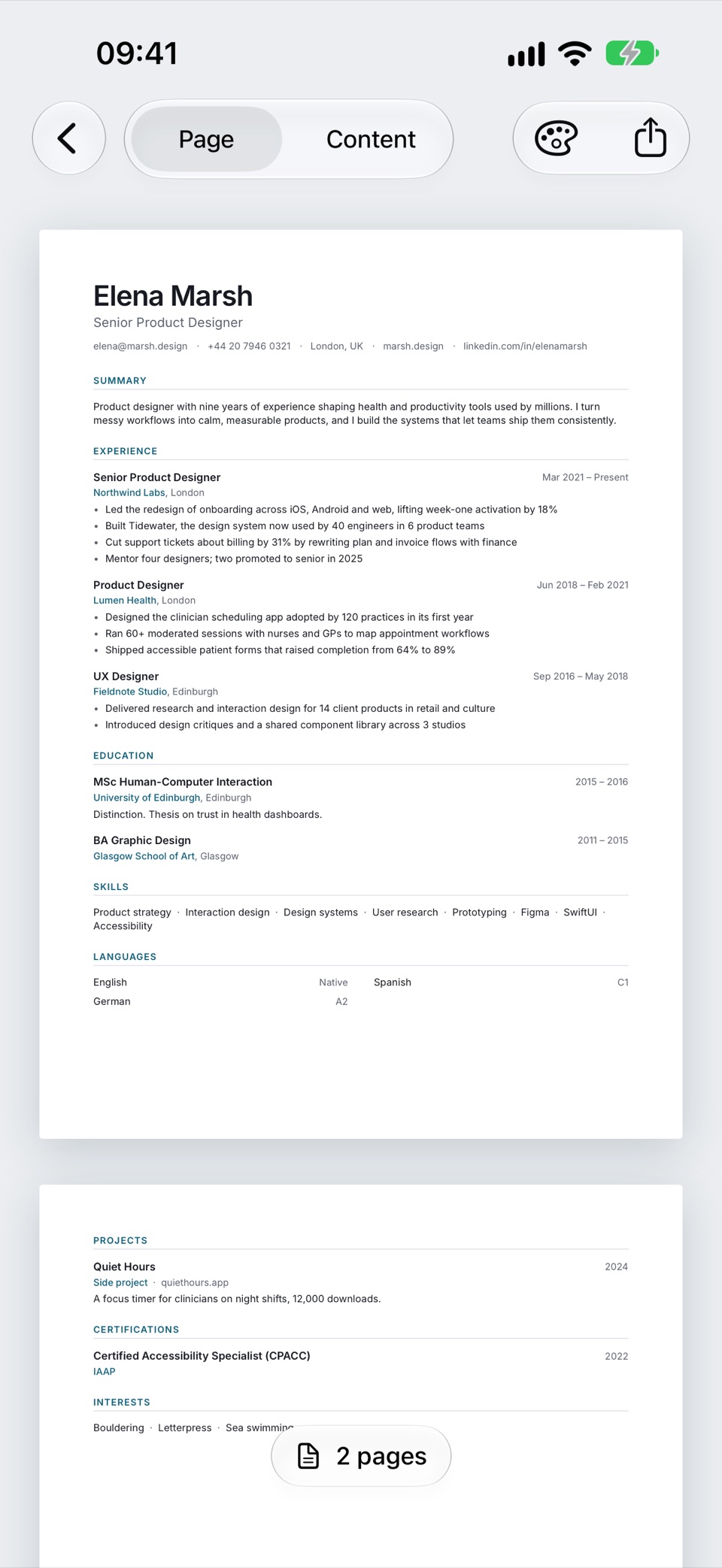
No forms beside a preview, and no fighting a word processor. You write on the real page, every change is laid out the moment you make it, and you always know whether it fits.
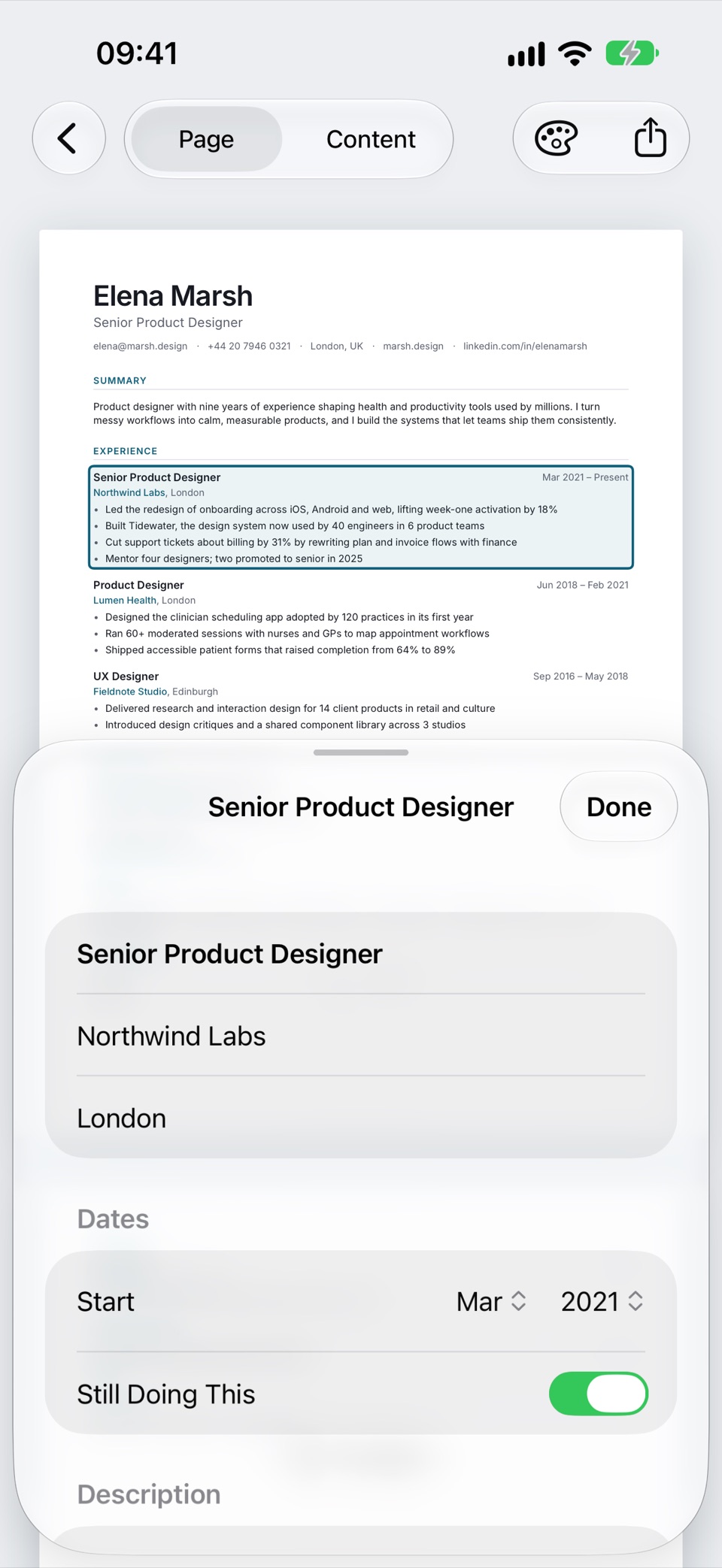
Your name, a role, a bullet. Its editor opens, and the page stays in view beside it.
Spacing, alignment and page breaks follow the template. A heading never ends up alone at the bottom of a page.
“1 page + 6 lines” sits under the page as you type. Fit to One Page tightens spacing first, and the PDF is the page you see, line for line.
Writing assistant
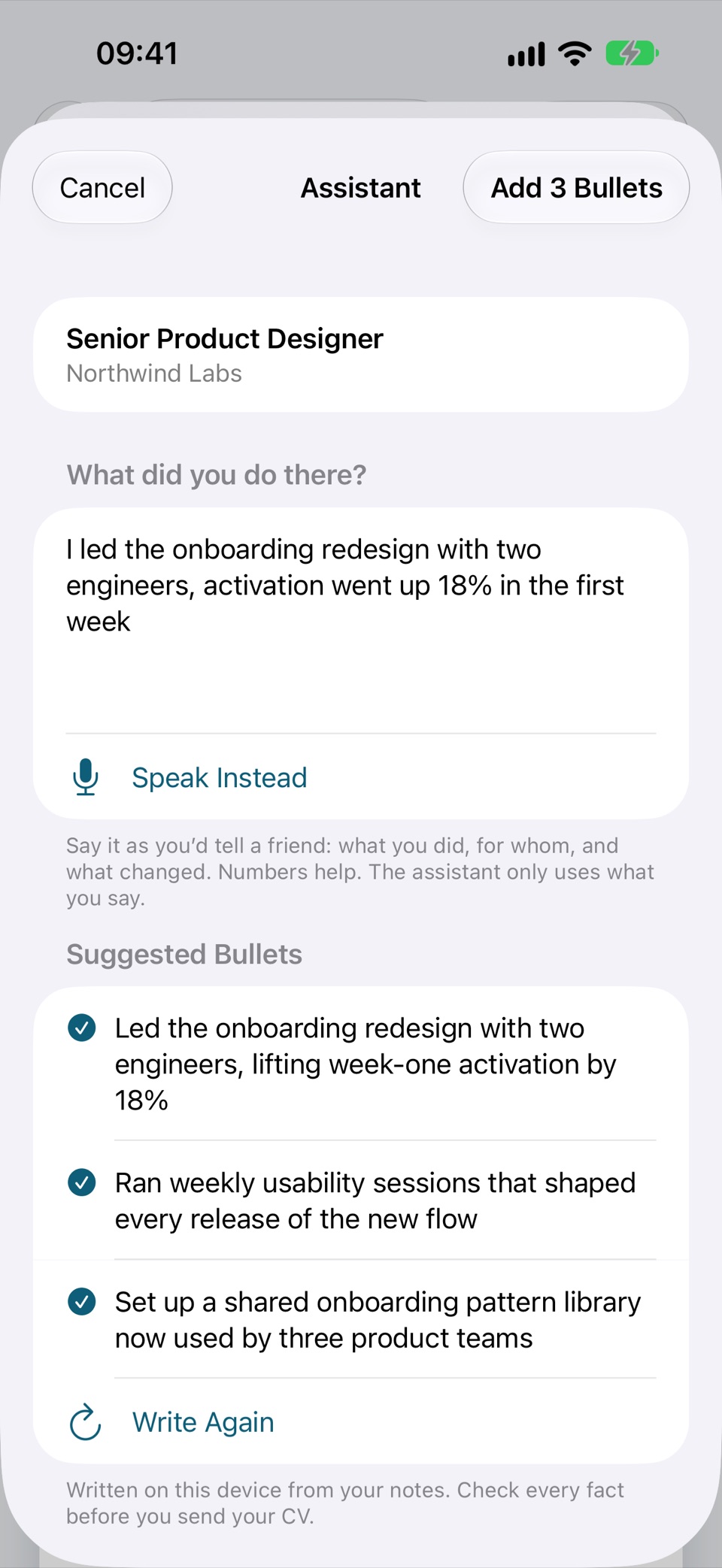
Most people know what they did; few can write it as a CV line. Tell PearlCV in your own words, out loud or typed, and the assistant writes strong bullets in your CV’s language. You keep only what’s true.
Runs on Apple Intelligence, entirely on your device: nothing you say or write leaves it, and nothing is invented. Three free drafts, then part of PearlCV Pro.
Templates
Not one layout in six colours. Timelines, sidebars with a portrait, dates in the margin, skill meters: each template is its own design, and switching keeps every word.
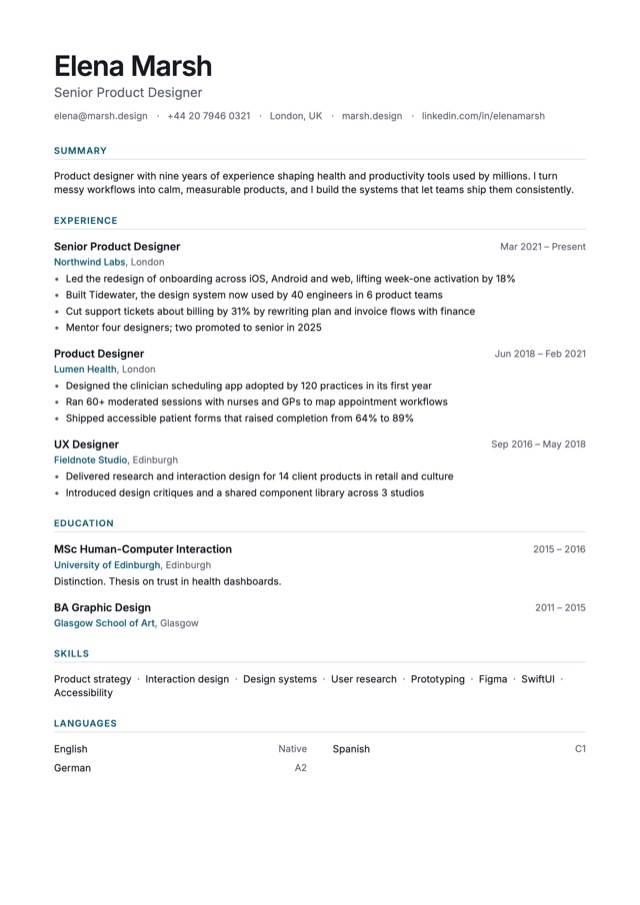
Clean and modern, in one column.
A deep sidebar, a portrait and a timeline.
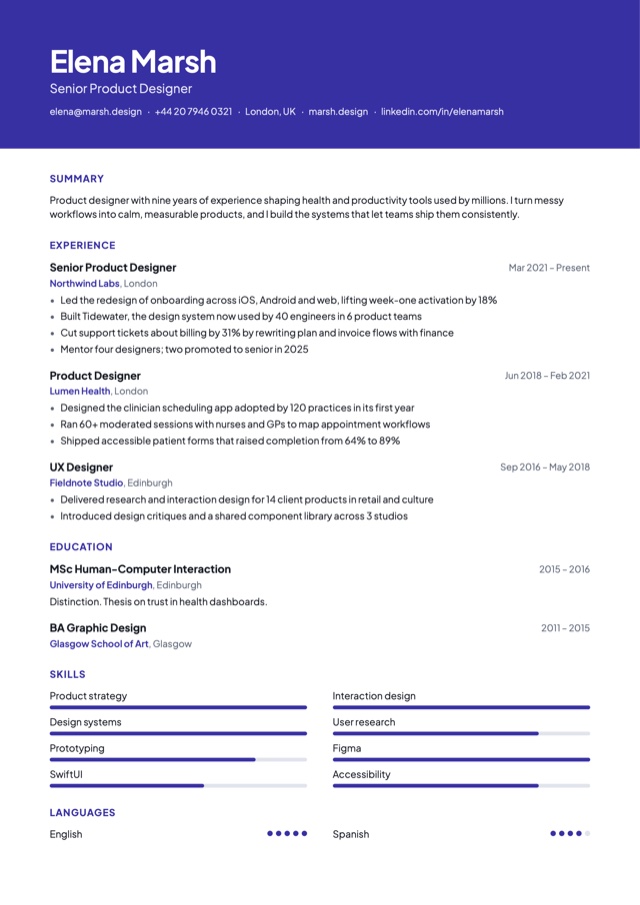
A bold colour banner and a confident sans.
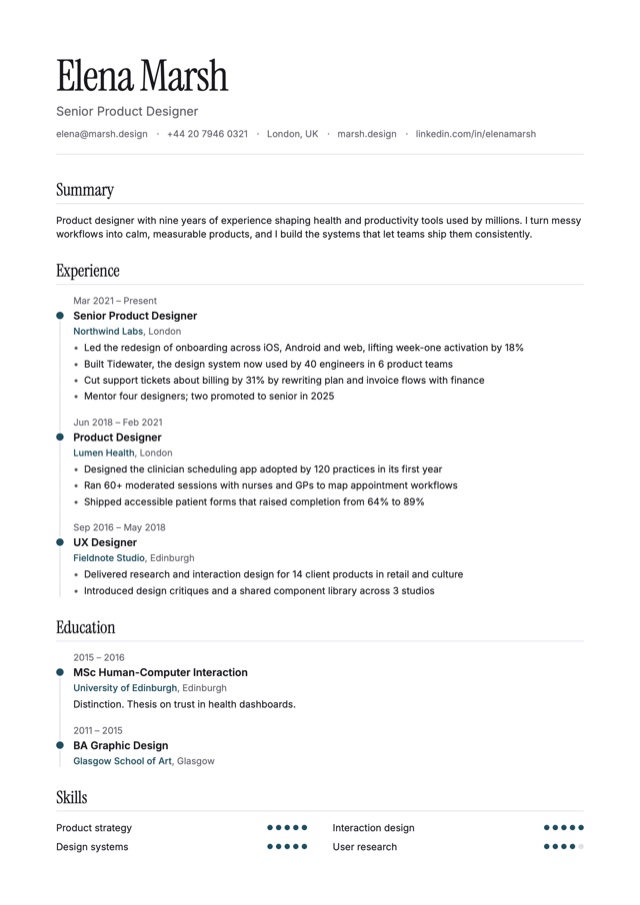
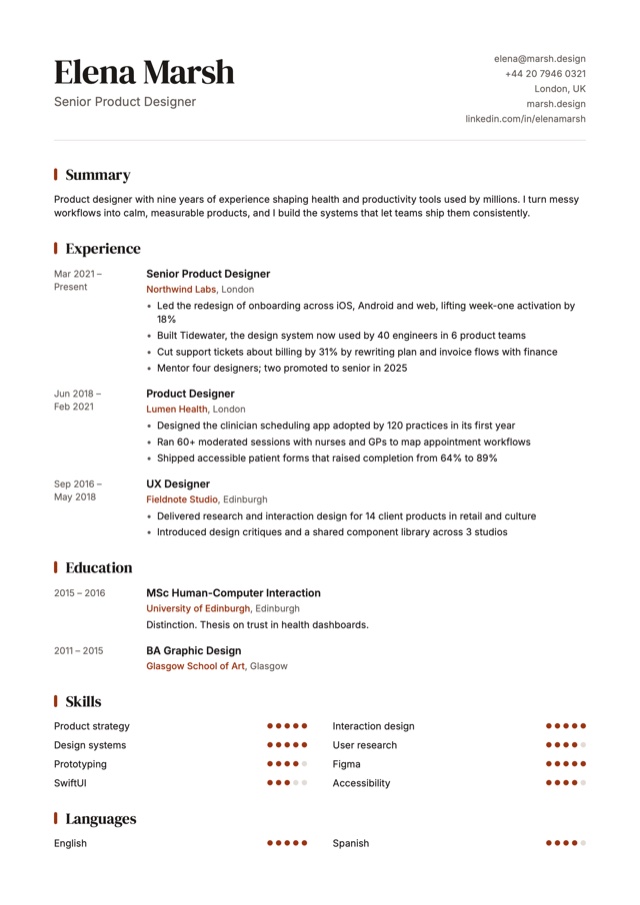
An elegant display serif and a timeline.
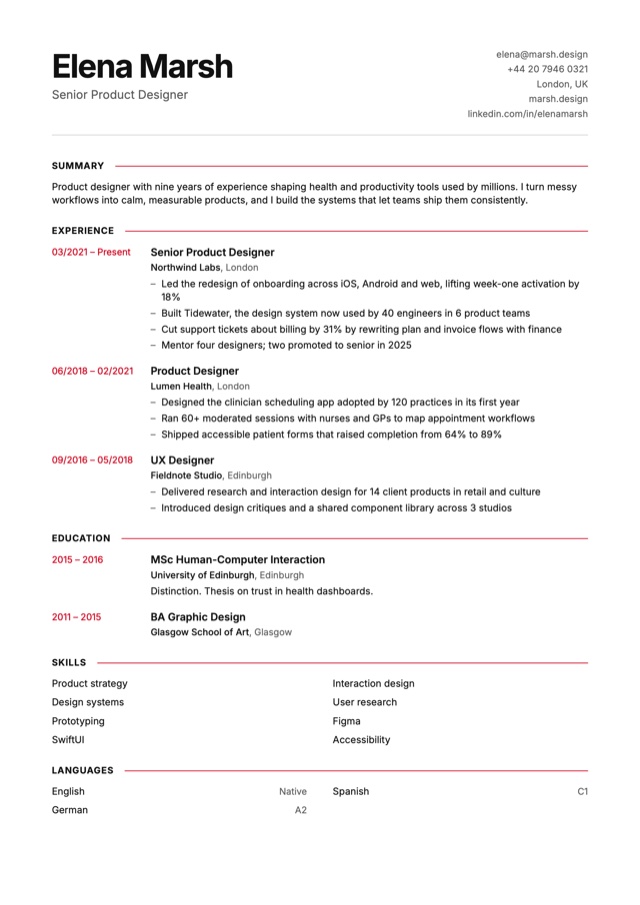
Swiss precision: labels, rules and a grid.
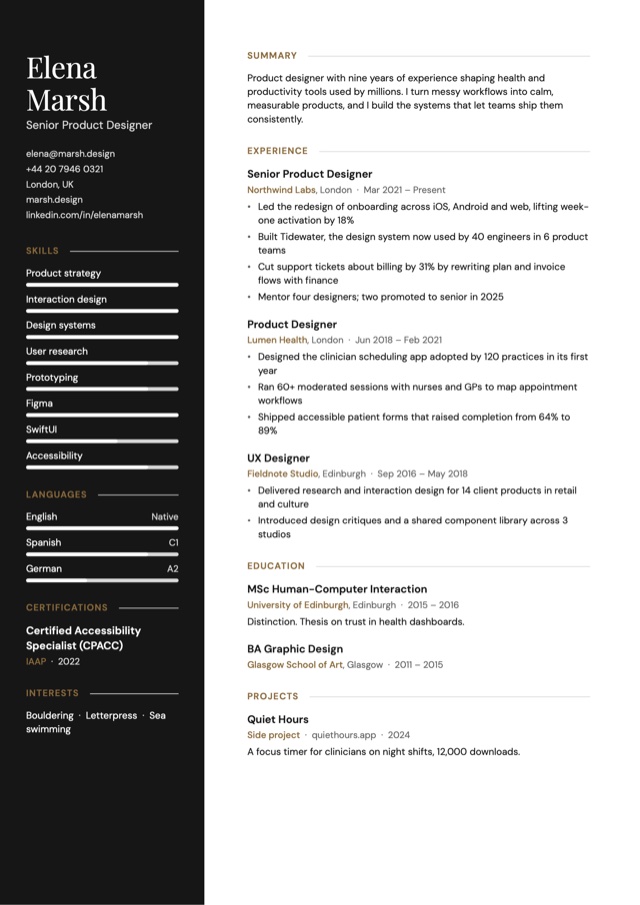
A black sidebar and display serif, quietly luxurious.
Twenty-six designs, from Garamond to Swiss grids. Pearl is free and exports free forever; every other design comes with PearlCV Pro. Try each one with your own CV first.
Job fit
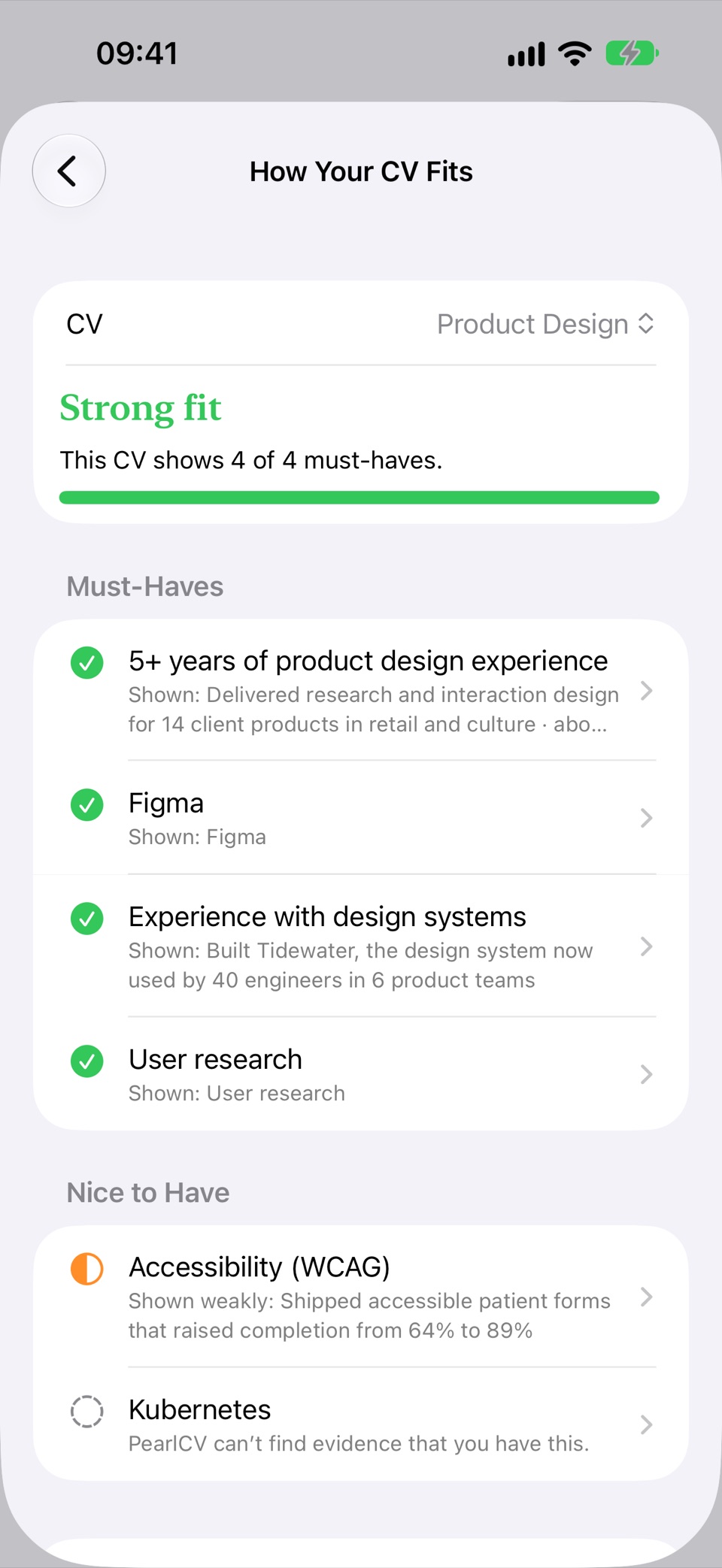
Paste a job, or its link. PearlCV reads what it asks for and checks each requirement against the CV you’d send and everything in your profile, so you fix the gaps before a recruiter sees them.
Uses Apple Intelligence on your device to read the posting, and works without it too. Part of PearlCV Pro.
Applications
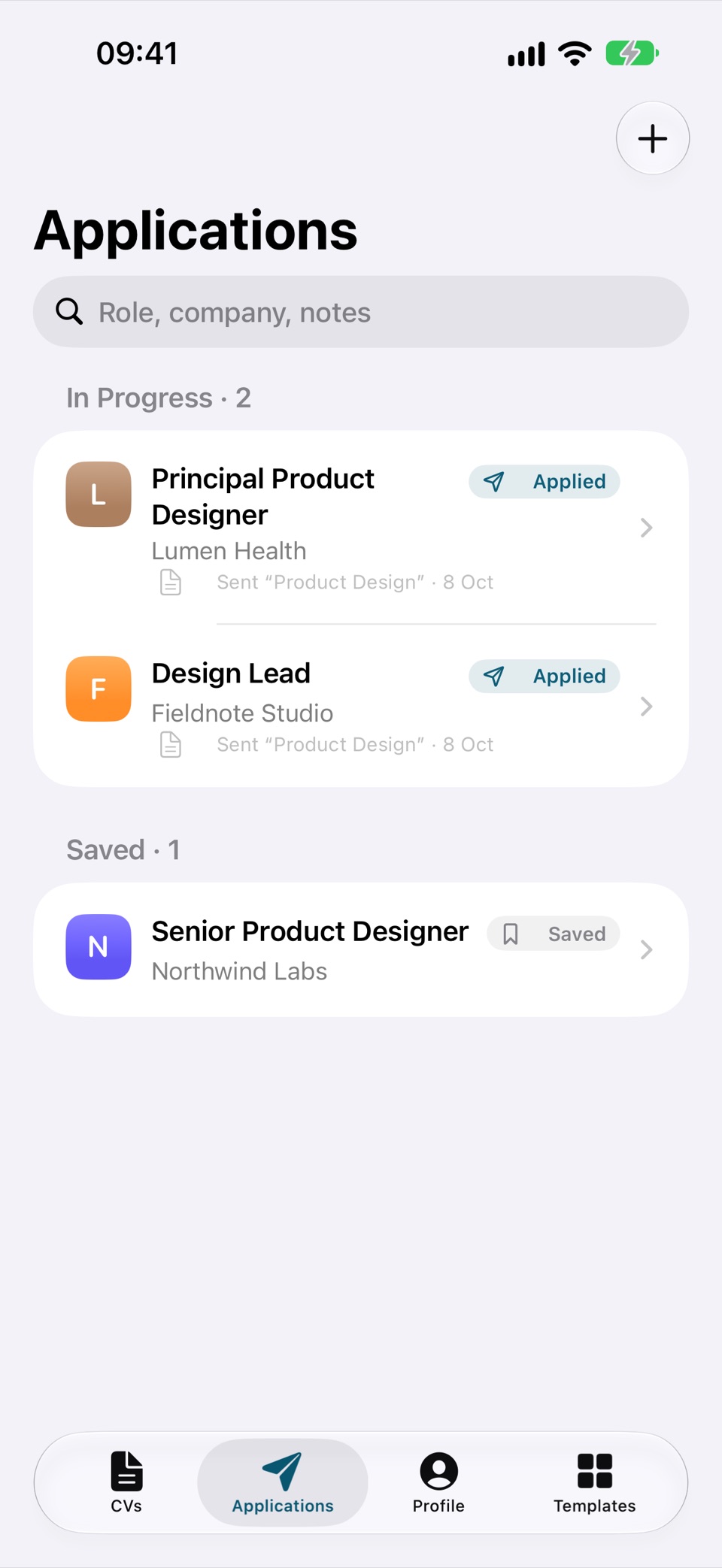
Apply to forty jobs and a recruiter calls about one: you have seconds to remember the role, the CV you sent and the salary you asked for. PearlCV keeps all of it, captured where you already are.
One profile
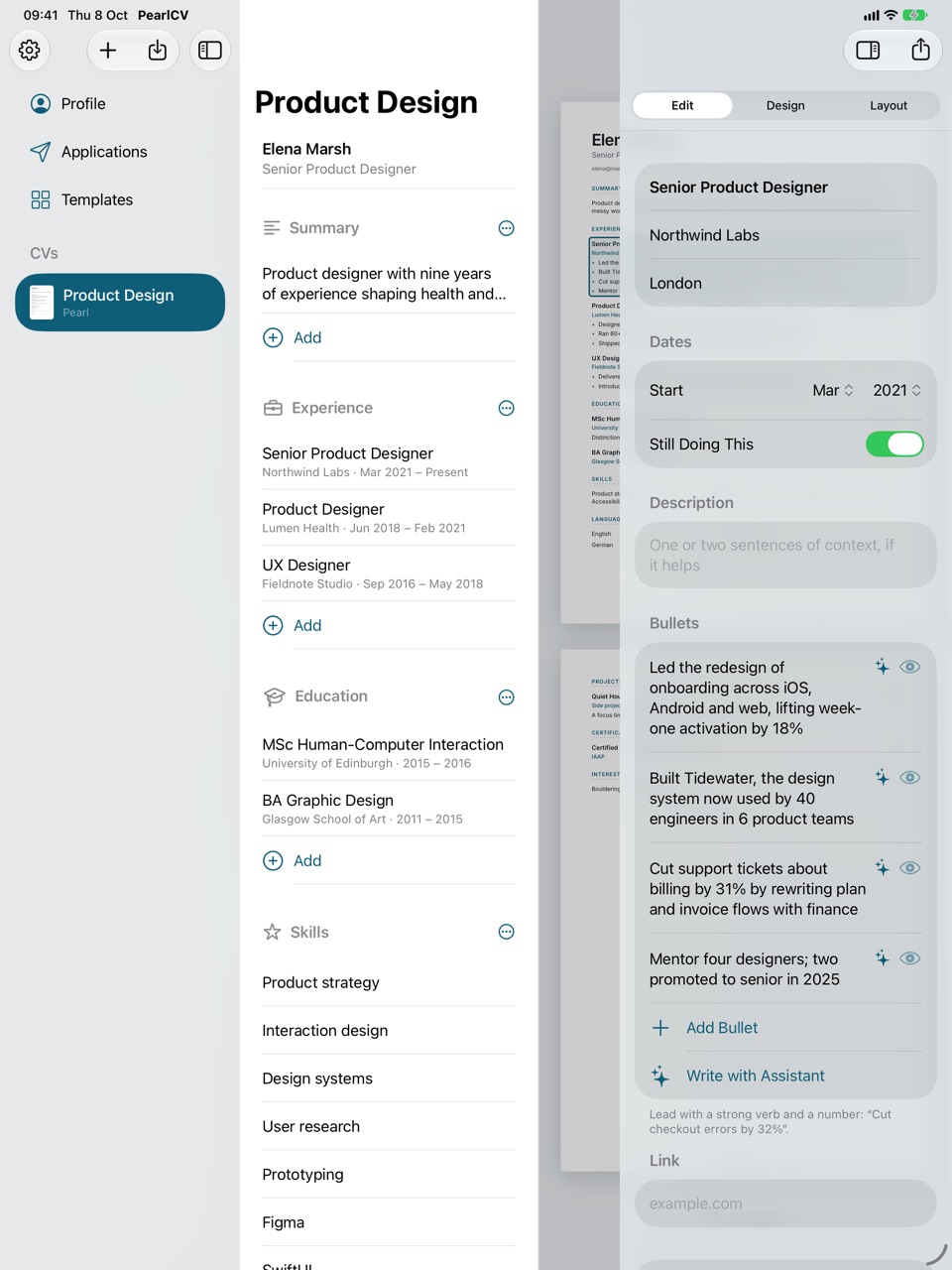
Your roles, skills and languages live in one profile. Each CV is made from it, so a design role and a research role never drift into two documents you have to keep in step.
Each with its own template, layout and language.
Leave a role off one CV and keep it for the others.
Reword a line for one application only, or for all of them.
Headings and dates in English, German, French, Spanish, Italian, Portuguese, Dutch or Romanian.
iPhone, iPad and Mac
A native app on each, in step through your own iCloud: note a new role on your iPhone, shape the page on your iPad or Mac. Your CVs live there and on your devices, not on our servers, because we don’t have any for your data.
Changes reach your other devices on their own, and it all works offline.
Nothing to sign up for, no password to lose.
Importing, the assistant and job fit run on your device. No AI company ever sees your CV.
The app only counts which features get used, anonymously, and you can turn that off.
Pricing
The free plan makes a complete, beautiful CV. PearlCV Pro is for when you’re applying in earnest: every design, the hiring-systems check, how you fit each job, and a CV for every role.
Free
A complete CV, beautifully set.
$4.99 a week
Cancel anytime in your Apple Account.
$19.99 once
One payment, no subscription. The price of four weeks.
US prices. The App Store shows the price in your country. Nothing you make is ever locked away if Pro ends.
Questions
No. PearlCV keeps your profile and CVs on your devices and syncs them through the iCloud account you already use. There is nothing to sign up for and no password to remember.
PearlCV is free to download, and the free plan makes a complete CV: one profile, one CV and the Pearl design, exported as designed, free forever and without a watermark. You can also import the CV you have. PearlCV Pro adds the hiring-systems check with its fixes, how your CV fits each job, every design, the writing assistant, cover letters, unlimited CVs and profiles, and Applications, for $4.99 a week or $19.99 once for good (US prices). You can try every design with your own CV before you unlock Pro.
Often it is neither you nor your CV: hiring is slow, roles get filled internally, and good applications lose out to other good ones. But one cause is invisible from where you sit. Many employers first put CVs through an applicant tracking system, which pulls the text out of your PDF and files it. A design that looks perfect can come through with its columns mixed up, its skills filed under Experience or its email missing. Try selecting all the text in your PDF and pasting it somewhere plain: if it comes out jumbled, a parser may see the same. PearlCV Pro shows you exactly what a parser reads in your CV, and what to fix.
Nobody can promise that, and PearlCV doesn’t. What it does: it writes real text into every PDF, and with PearlCV Pro it checks your CV the two ways parsers read a PDF, in the order the file stores it and rebuilt from the page’s layout. Seven checks cover what parsers need, from contact details to content filed under the right headings, and you see the text a parser actually gets, with what to fix. Every template passes them with a full CV, so you send one CV everywhere. If your own changes trip a check, Pro says what and takes you to the fix, or makes an ATS-safe copy in the same design. On the free plan, Export shows that the checks have run on your CV, and says when something needs a fix.
Yes, free on every plan. PearlCV reads a PDF (from Word, Pages, Google Docs, Canva or LinkedIn), a Word file, a scan or photo of a printed CV, LinkedIn’s data export, or pasted text, on your device. It sorts your details, roles, dates, bullets, studies, skills and languages into your profile, then shows you everything before it goes in: untick what you don’t want, fix anything it misread, and import. If you already have a profile, what it holds is marked so nothing is doubled, or you can keep the import in a profile of its own.
Nothing you made is locked or deleted. Every profile, CV and application stays yours to read and edit, and every CV still exports as designed in Pearl. Pro only adds designs, features and room to make more.
PearlCV is coming to iPhone, iPad and Mac.
Coming soon to the App Store